KnowledgeHub features

A complete tour of what ships with every KnowledgeHub instance.

Ask anything, cited

Type a question in plain English and get an answer drawn from your own content — policies, SOPs, client briefs, meeting notes, spreadsheets, anything in your Drive. Every claim is footnoted to the exact source document, with a one-click jump straight to the file and the passage that backed it. No hallucinations, no public-internet fluff. Your team finally has one place to ask, instead of pinging three colleagues on Slack.
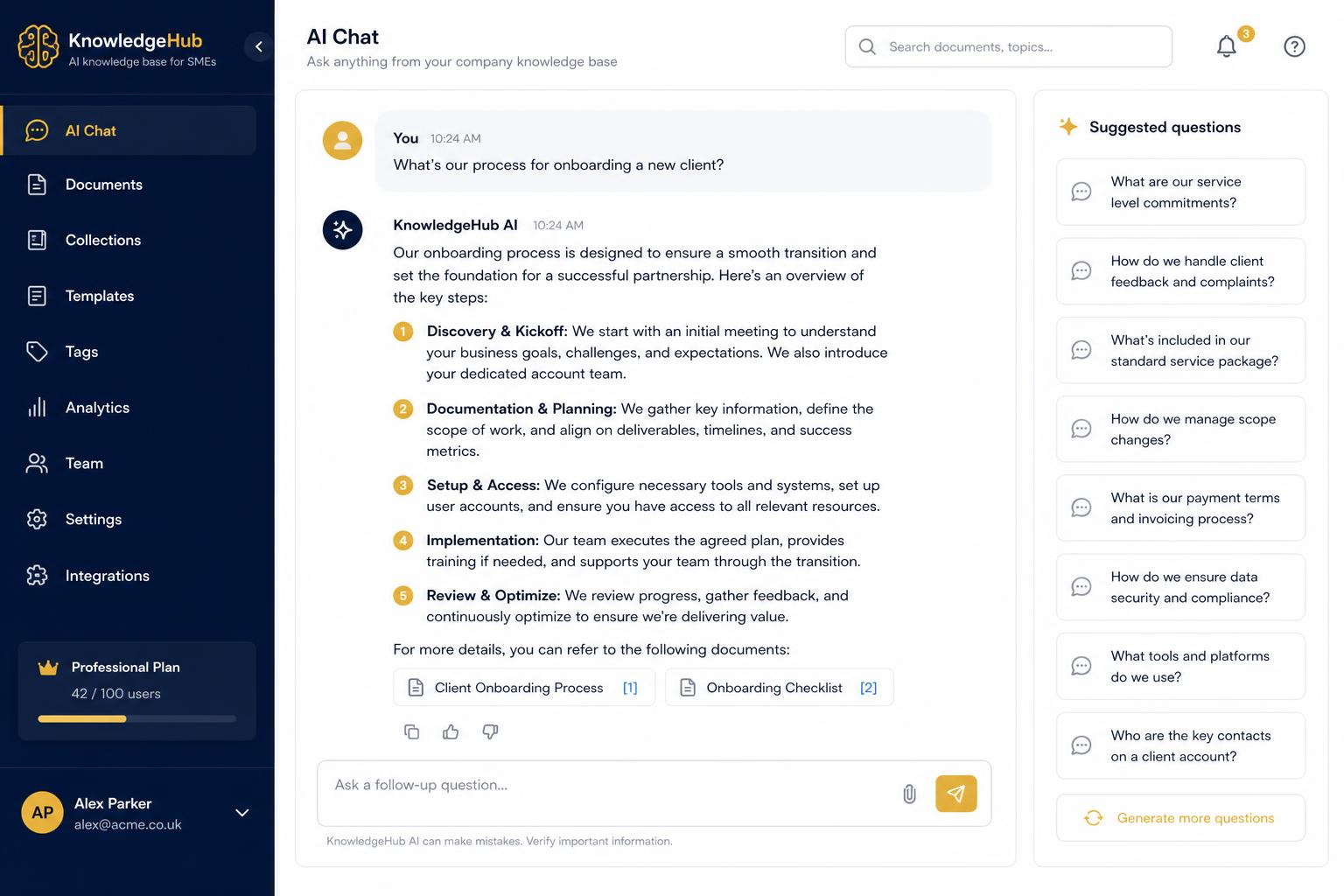
Chat panel with an AI answer showing numbered source citations

Google Drive auto-sync

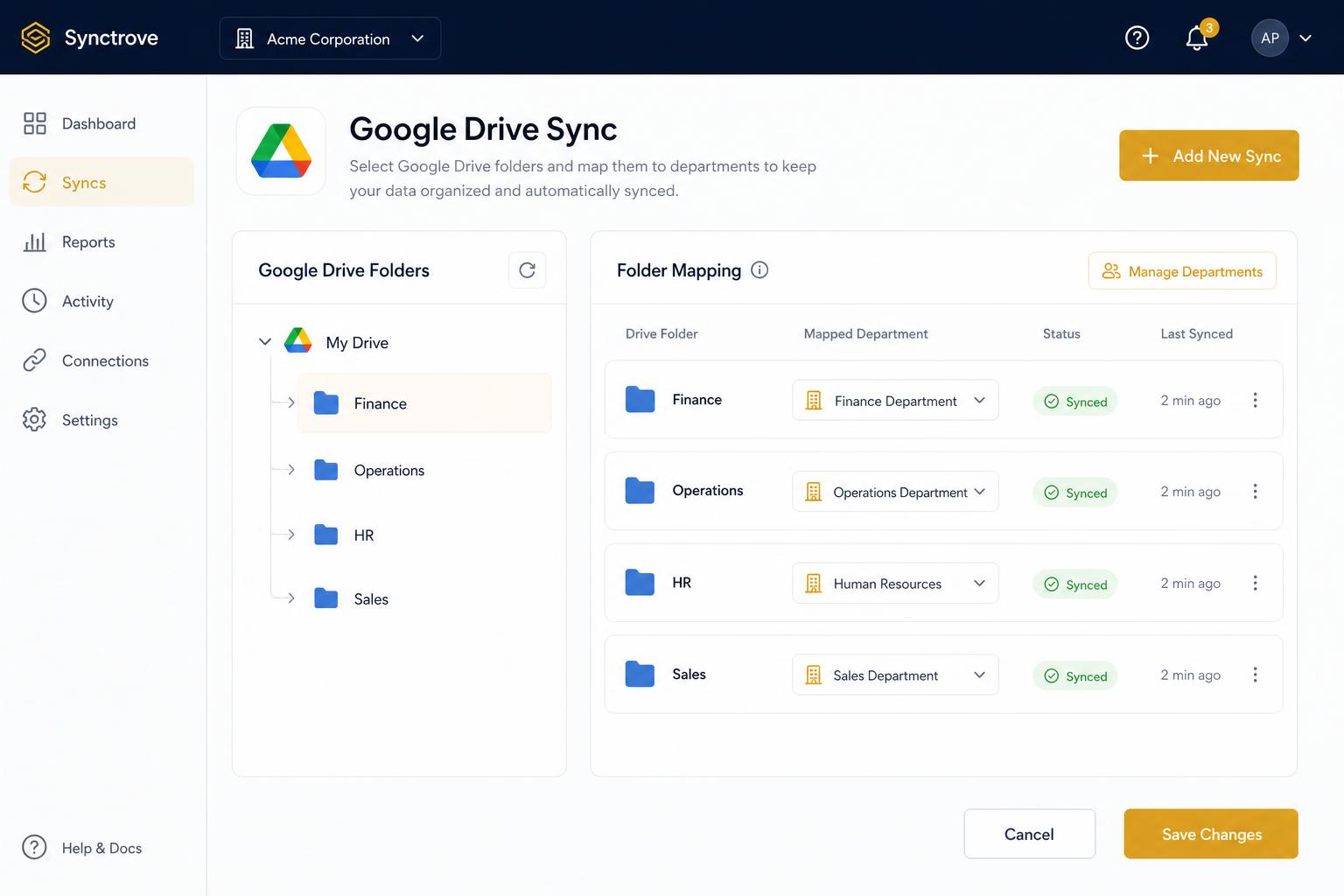
Connect Google Drive once via OAuth. Map folders to departments — Finance reads /Accounting, Ops reads /Playbooks, Sales reads /Proposals. New documents and edits flow in automatically within minutes. Word, Excel, PowerPoint, Google Docs, Sheets, Slides and PDFs are all parsed natively. No more 'is this the latest version?' — KnowledgeHub always answers from the current copy of every file.

Folder-to-department mapping UI showing Drive folders connected to teams

Curated answers

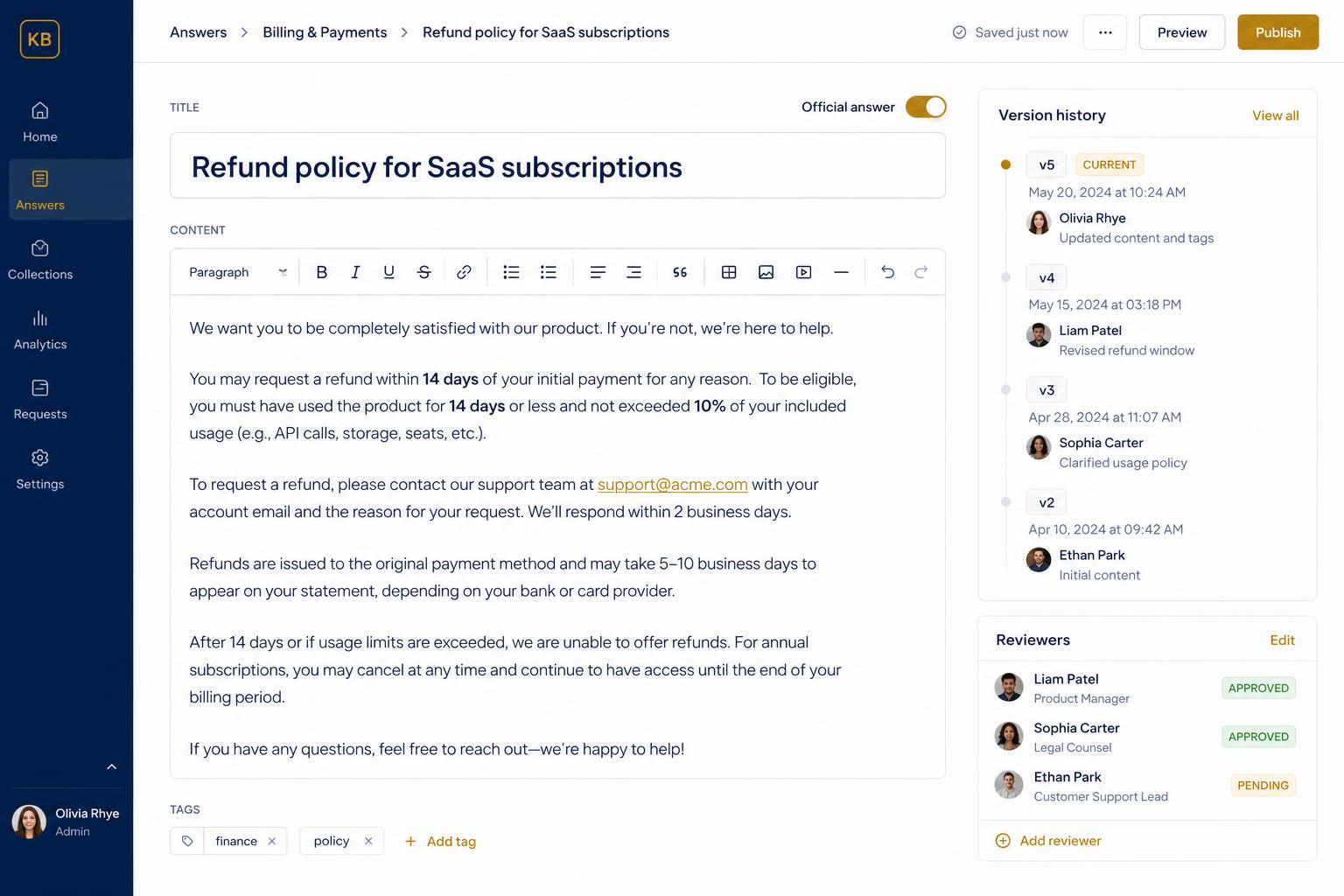
For your most common questions — refund policy, onboarding steps, pricing rules — lock in the official answer once. Curated answers always rank first, are clearly badged as authoritative, and bypass the AI entirely. Edit in a simple WYSIWYG, assign an owner, set a review date. Your senior staff stop being the help desk; juniors stop guessing.

Curated answer editor with a locked-in official response

Department permissions

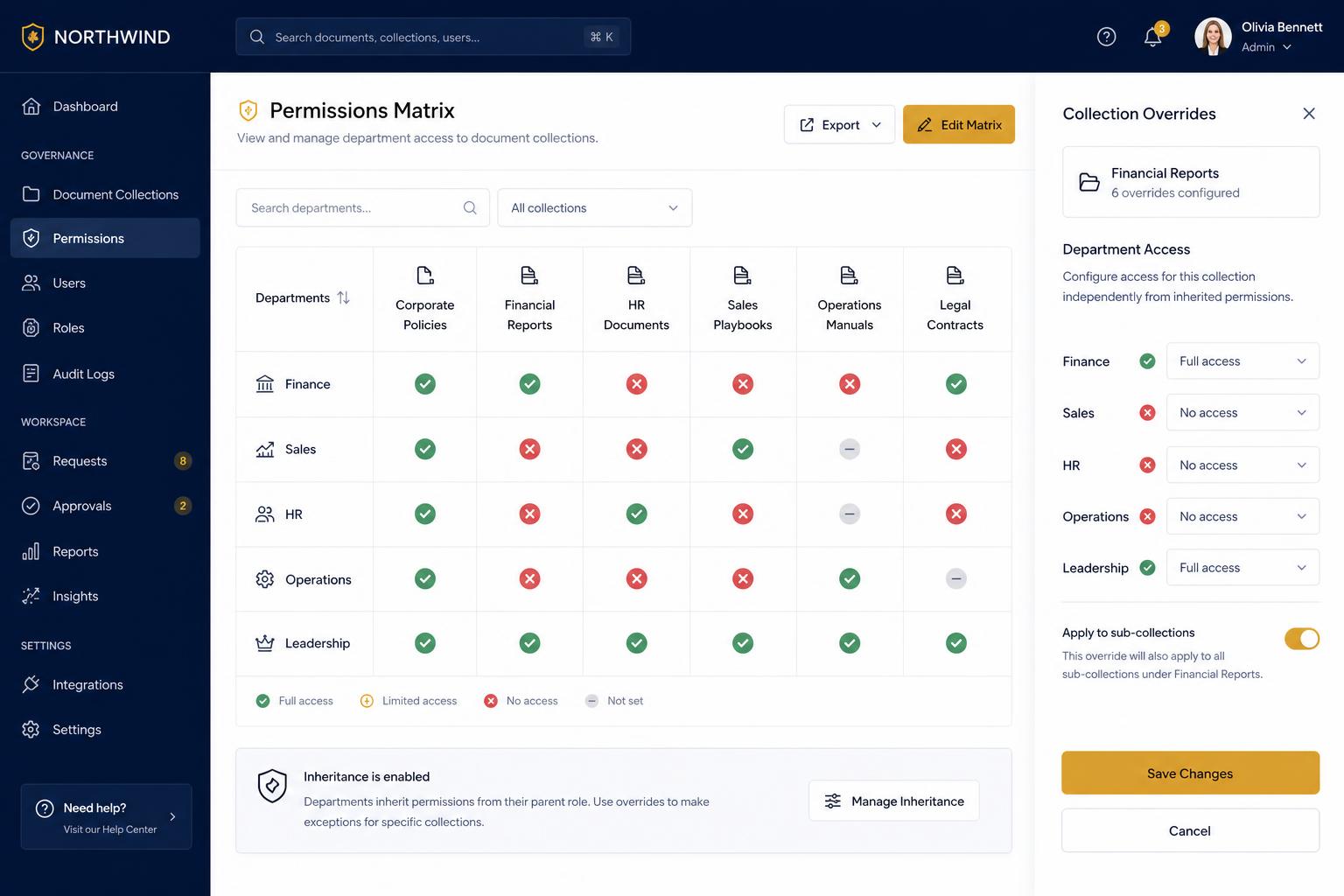
Finance sees finance. Ops sees ops. Sales sees their playbooks but not partner contracts. Permissions are inherited from your Drive folder structure by default, with per-document overrides for sensitive files. Role-based access at the data layer, not just the UI — a salesperson literally cannot retrieve a finance document, even via a clever prompt.

Permissions matrix showing departments mapped to document collections

Staleness detection

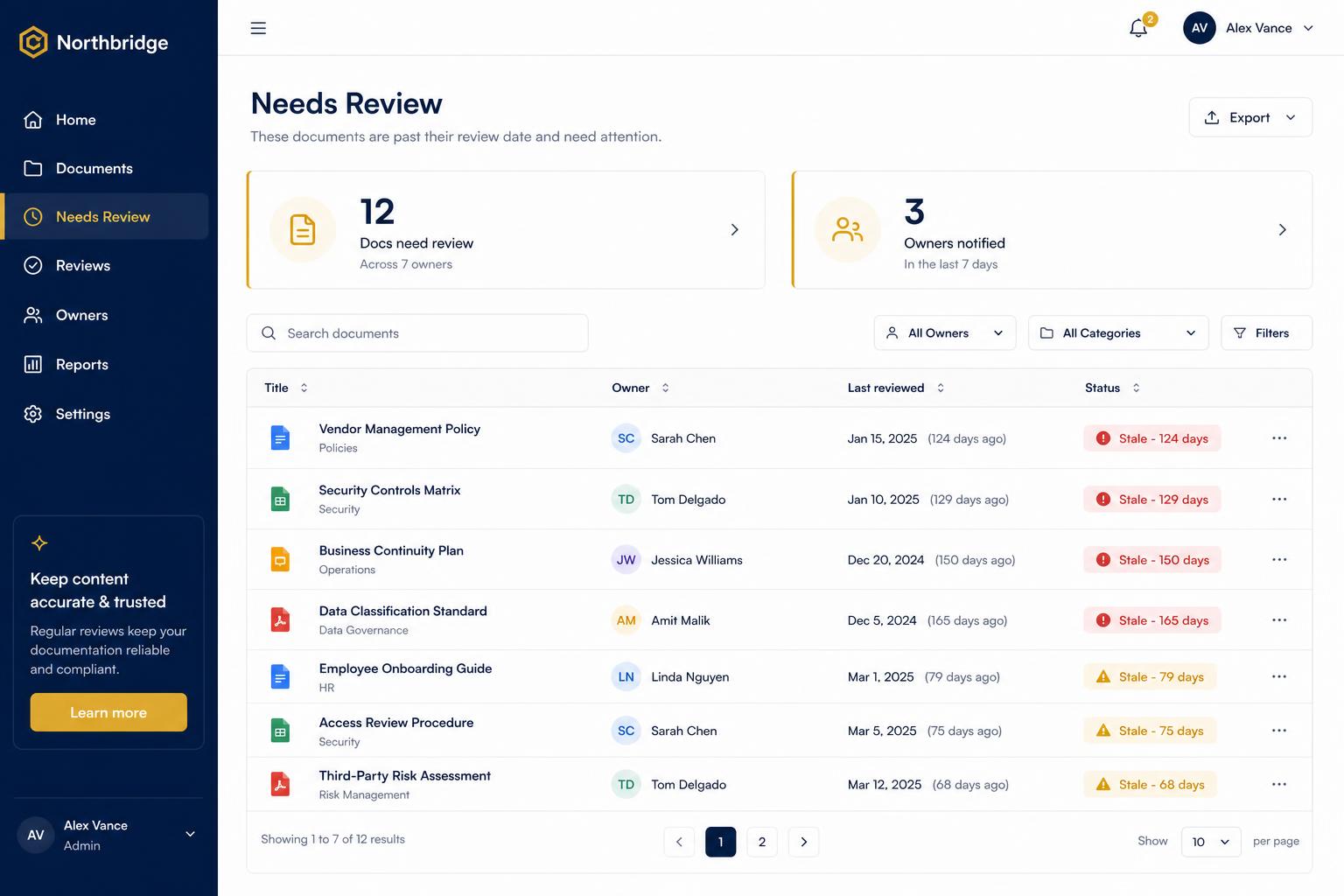
Documents rot. KnowledgeHub auto-flags anything not reviewed in 90+ days (configurable per department) and pings the listed owner with a one-click 'still current' / 'needs update' prompt. A Needs Review dashboard shows your knowledge base at a glance — green, amber, red. Stop answering questions from a 2022 SOP nobody updated.

Dashboard listing documents that need review with owner and last-edit dates

Knowledge gaps dashboard

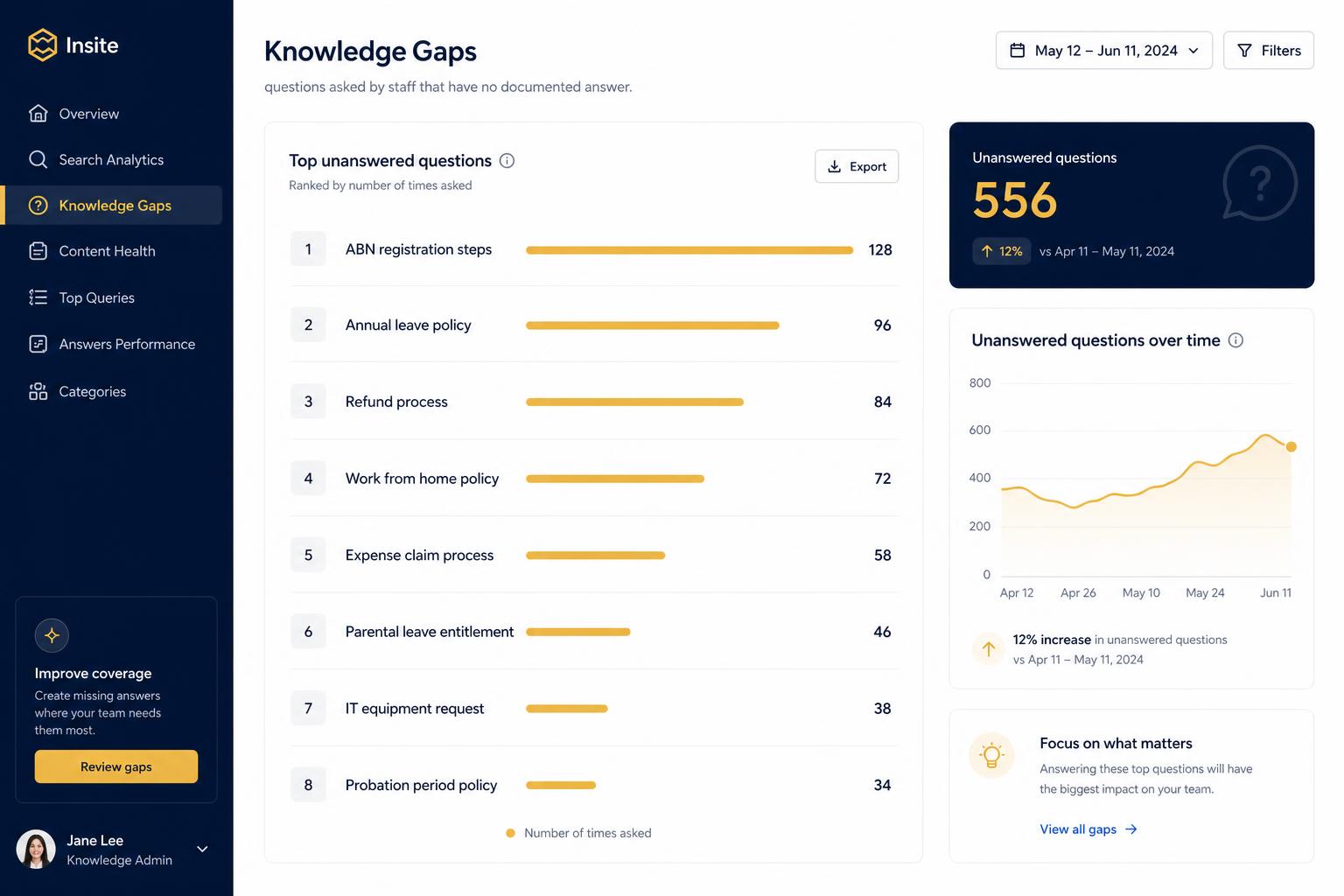
See exactly what your team keeps asking that isn't documented yet. KnowledgeHub clusters low-confidence answers and unanswered queries into themes, sorted by frequency. One screen tells you what to write next — and which existing docs need rework. The single most valuable view for a Head of Ops or COO.

Analytics chart showing the top unanswered questions asked by the team

Integrations

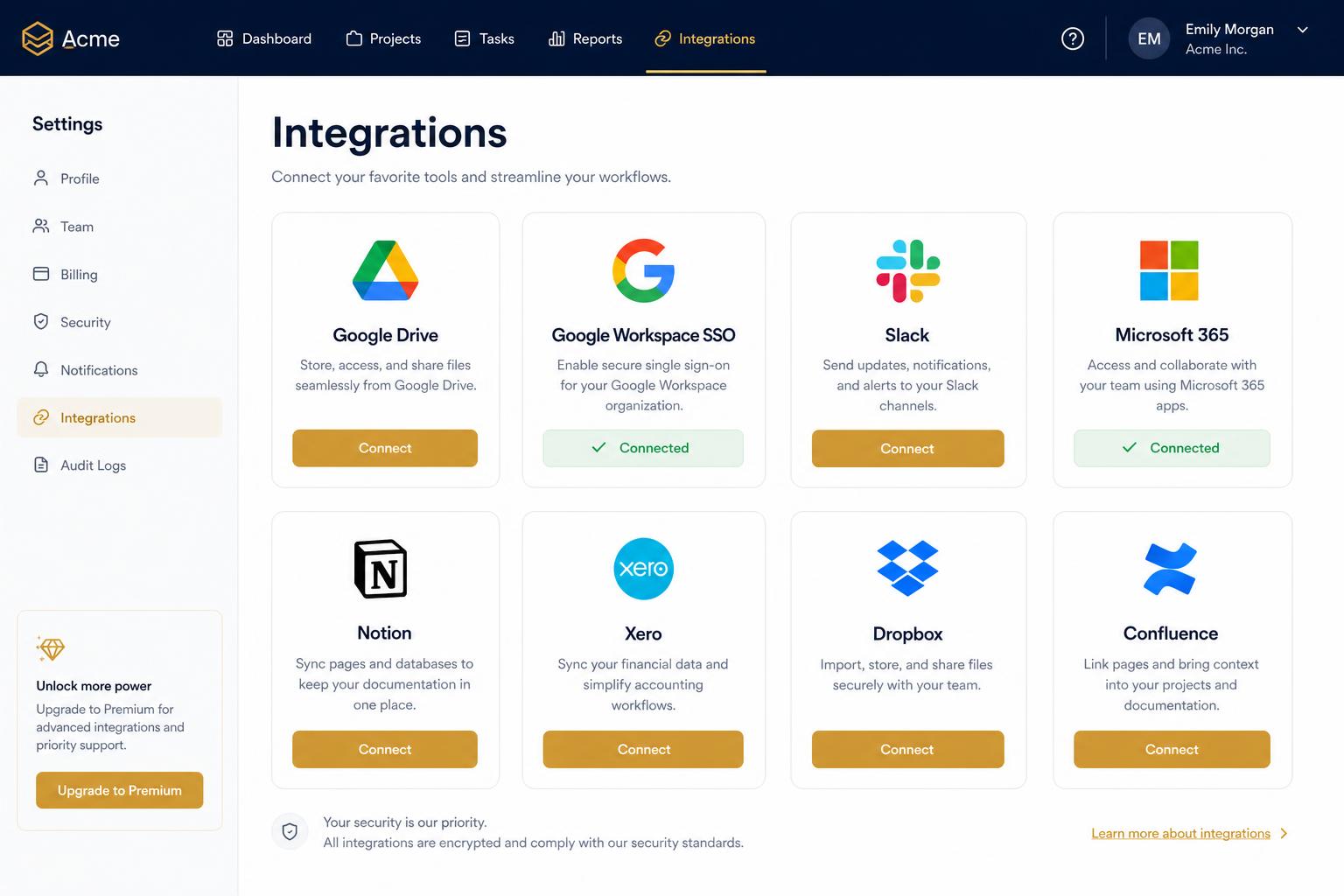
Google Drive (native two-way), Slack (ask KnowledgeHub from any channel), Xero and Xero Practice Manager (pull client context into answers), Google SSO, and Notion import for migrations. More integrations (Microsoft 365, Confluence, HubSpot) are on the roadmap and shipped on request for Firm-tier customers.

Integration cards grid showing Google Drive, Slack, Xero and SSO providers

Branded, your domain

Every instance is yours. Upload your logo, set your primary colour, point your own subdomain (kb.yourcompany.com.au). The chat UI, emails and Slack bot all wear your brand. Multi-region instances supported for groups operating across countries.

Branded, your domain — text-only section

Security & data ownership

Hosted in the Sydney region. Encrypted at rest (AES-256) and in transit (TLS 1.2+). OAuth-only sign-in — no shared passwords. Row-level security enforces permissions in the database. Your data is never used to train AI models. Free monthly JSON export of all content and curated answers; you own it, you can leave with it.

Security & data ownership — text-only section

See it on your own Drive

We'll walk through a sandbox instance using your real folder structure.